It's been almost four months since I started my position at my current job. A lot of my new responsibilities involve helping users with ERP issues and solving their day-to-day problems. Another main responsibility I have is maintaining our cross-reference database, which requires hopping between the ERP and the database.
During the transition, I found that a lot of data ingestion was being done manually by my predecessor, so I decided to automate a few small but tedious data ingestion workflows. With a simple Python script and of course, the magic of the Pandas library, I was able to automate a bunch of tasks.
First, I started running my script in the terminal to do the data prepping. Then, I decided I wanted somewhat of a GUI, so I built a quick visual interface using Python's Tkinter. Spending about an hour a day over a month, I was able to build automation for 5 different data workflows with a rather unpleasant looking Tkinter GUI.
After building the app for Windows desktop and using it for a while, I had an idea: What if I turn this into a fully-fledged desktop app with plug-and-play scalability, so people can add their own automations directly into the app?
I really liked this idea, so I started working on a new version of the desktop app using Python and ttkbootstrap. The concept is simple: a user can add a some_app.py script directly to the project directory or upload it via the app GUI. My app then detects the user's code and automatically generates a GUI for their custom data ingestion workflow.
Of course, user scripts need to follow a few basic rules. For example, they need to define an input_schema = {} using the preset keys listed in the README. Additionally, the user's script must take a Pandas DataFrame as an argument, perform its data manipulations, and return the modified Pandas DataFrame.
The app will also come with several built-in tools:
- Data transformation
- Fuzzy matching
- Data modeling (predictive modeling, etc.)
- Quick visualizations
- Quick summary stats & insights
As of today, I've almost finished building the custom code detection and dynamic GUI creation. The rest is still a work in progress...
I don't know if there will be any users for this application, after all, I originally built it for myself. But I certainly think that for a small niche of data workers like me, this could be genuinely helpful if they ever discover it. I'll be posting more updates here as progress continues. Even though I probably don't have any readers yet herem, but hey, never say never! Hopefully the future is bright. Hahaha.
Dear friend, if you're reading this, I wish you good luck in your career!
Anyway, peace out!
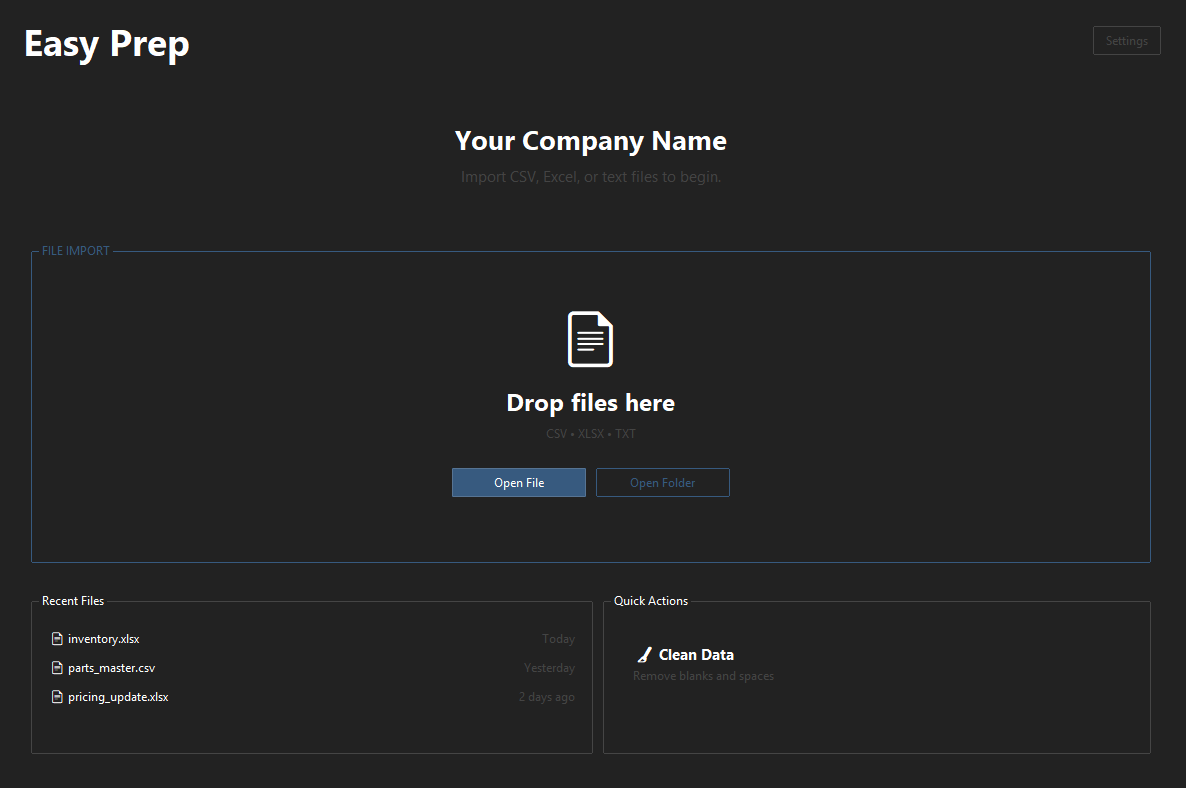
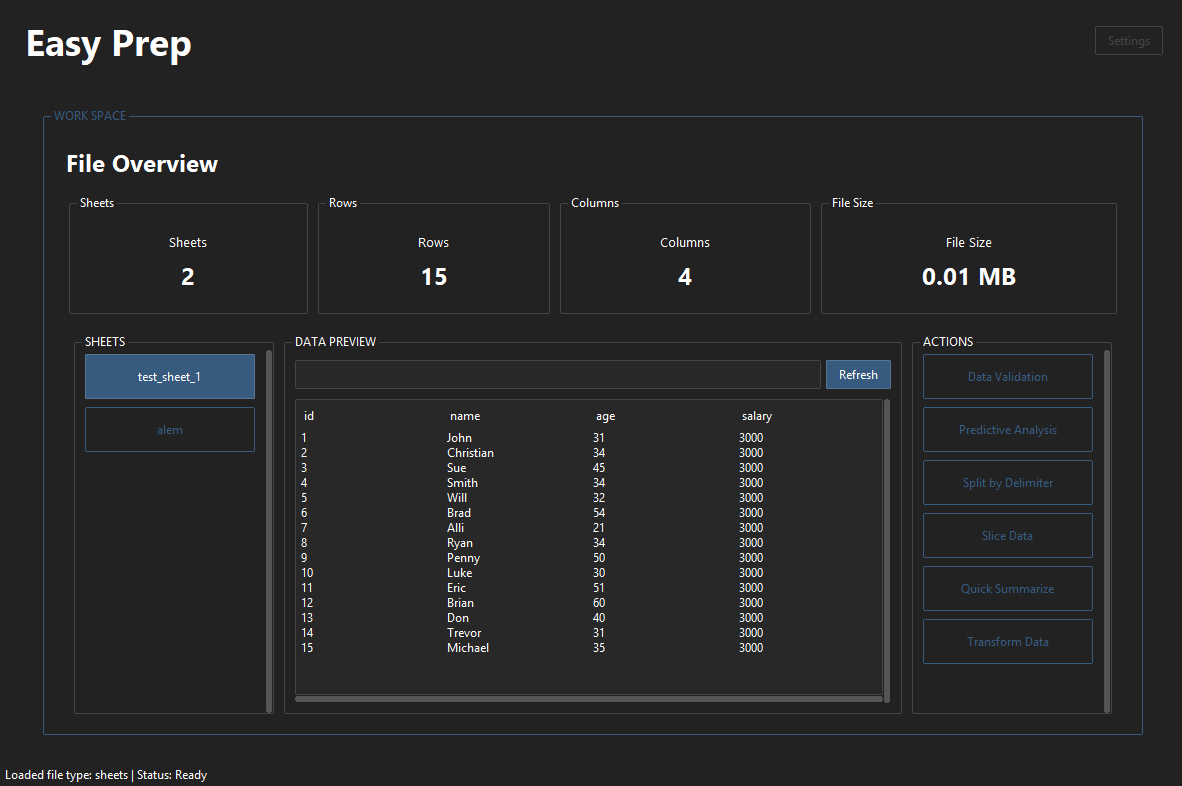
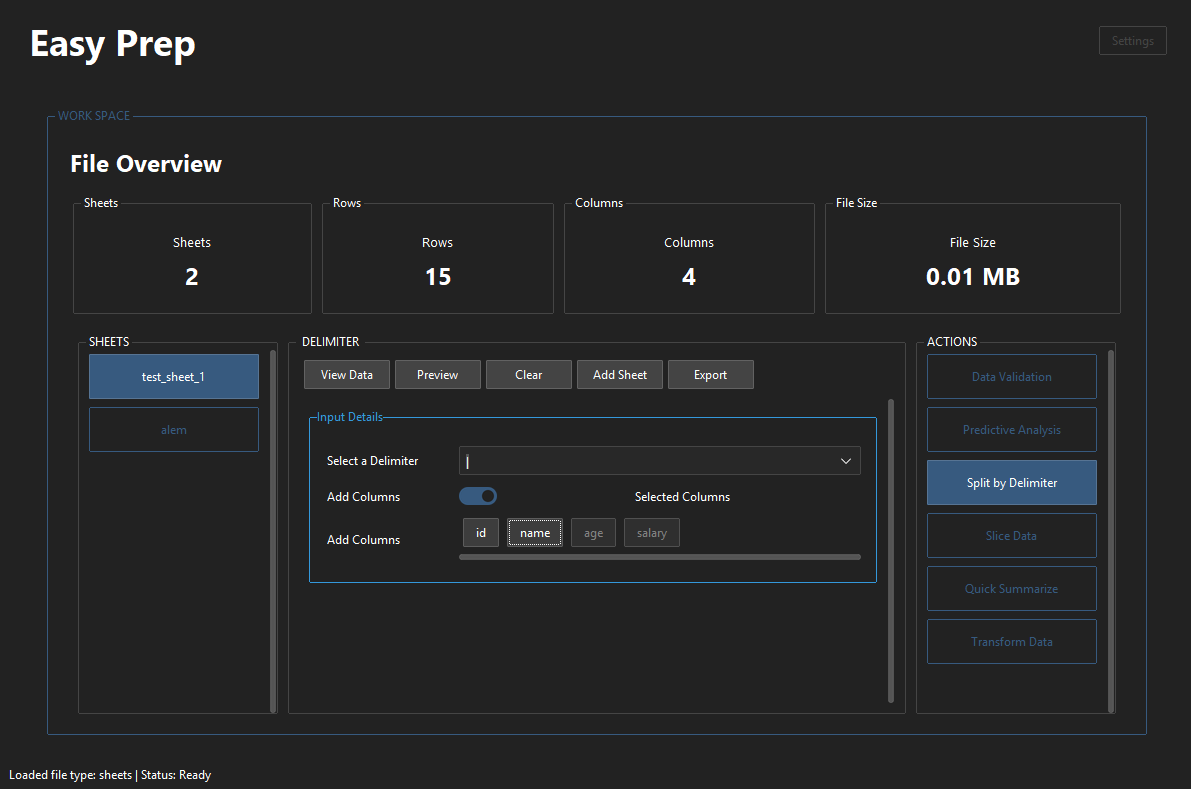
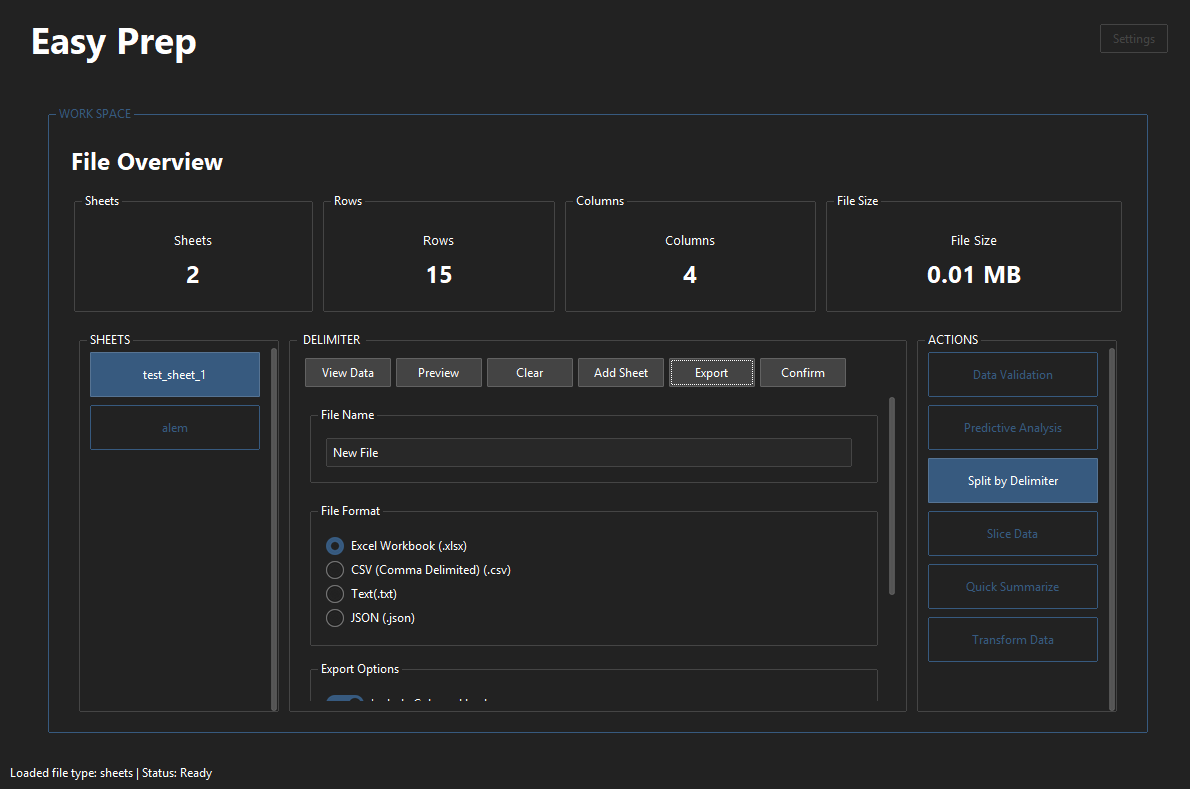
Check out the repo on GitHub, along with some screenshots below:
Repository link: https://github.com/LukeShawket/easy-prep
Screenshots: